

To do this exercise, we will use the famous plugin for Jira called Adaptavist Scriptrunner.
First step, we need to create a REST Endpoint in our Jira Server. This REST Endpoint will query the external REST API to obtain the values and options (In this example we will query GitHub to obtain a list of repositories).
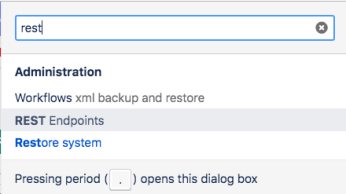
Go to REST Endpoints section in your Jira
Create a new REST Endpoint, something like the picture below (here the source code)
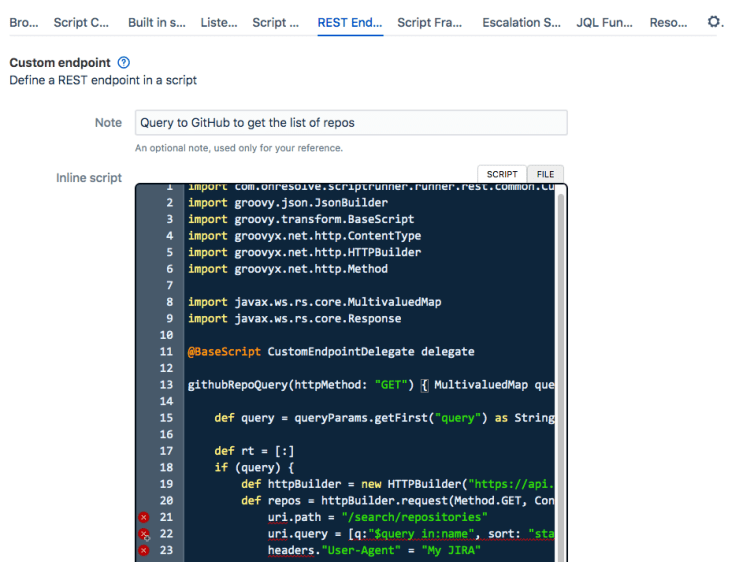
import com.onresolve.scriptrunner.runner.rest.common.CustomEndpointDelegate
import groovy.json.JsonBuilder
import groovy.transform.BaseScript
import groovyx.net.http.ContentType
import groovyx.net.http.HTTPBuilder
import groovyx.net.http.Method
import javax.ws.rs.core.MultivaluedMap
import javax.ws.rs.core.Response
@BaseScript CustomEndpointDelegate delegate
githubRepoQuery(httpMethod: "GET") { MultivaluedMap queryParams ->
def query = queryParams.getFirst("query") as String
def rt = [:]
if (query) {
def httpBuilder = new HTTPBuilder("https://api.github.com")
def repos = httpBuilder.request(Method.GET, ContentType.JSON) {
uri.path = "/search/repositories"
uri.query = [q:"$query in:name", sort: "stars", order:"desc"]
headers."User-Agent" = "My JIRA"
response.failure = { resp, reader ->
log.warn("Failed to query GitHub API: " + reader.text)
}
}
def repoNames = repos["items"]*."full_name"
rt = [
items: repoNames.collect { String repo ->
[
value: repo,
html : repo.replaceAll(/(?i)$query/) { "${it}<span id="mce_SELREST_start" style="overflow:hidden;line-height:0;"></span>" },
label: repo,
]
},
total: repos["total_count"],
footer: "Choose repo... (${repoNames.size()} of ${repos["total_count"]} shown...)"
]
}
return Response.ok(new JsonBuilder(rt).toString()).build();
}
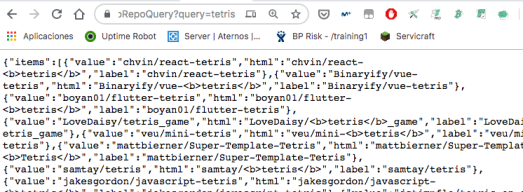
Now you can try to Query your new REST Endpoint inside Jira, open in your browser this URL:
https://your_jira.domain.com/rest/scriptrunner/latest/custom/githubRepoQuery?query=tetris
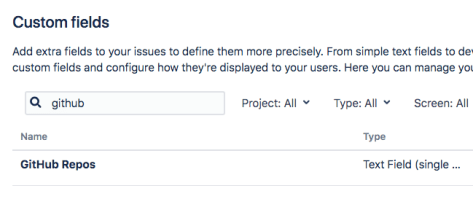
After that, you can create a new Customfield (of type Text Field Single line)
We have named as “GitHub Repos” (Remember to apply the custom field to the screens of the target project, and remember to restrict the context of the custom field to take care of the performance of your Jira)
Now we are ready to do the last step! Create a new Behaviour!
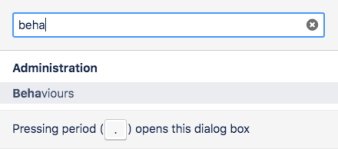
(Remember to map the new Behaviour to your Project and IssueTypes)

Now, create the Initializer with a code like this (remember to fill the getFieldByName function with the correct name of the field, in this case is “GitHub Repos”)

getFieldByName("GitHub Repos").convertToMultiSelect([
    ajaxOptions: [
        url : getBaseUrl() + "/rest/scriptrunner/latest/custom/githubRepoQuery",
        query: true, // keep going back to the sever for each keystroke
        minQueryLength: 4,
        keyInputPeriod: 500,
        formatResponse: "general",
    ]
])
That’s all! Now we can test it! It’s very very cool! Examples:
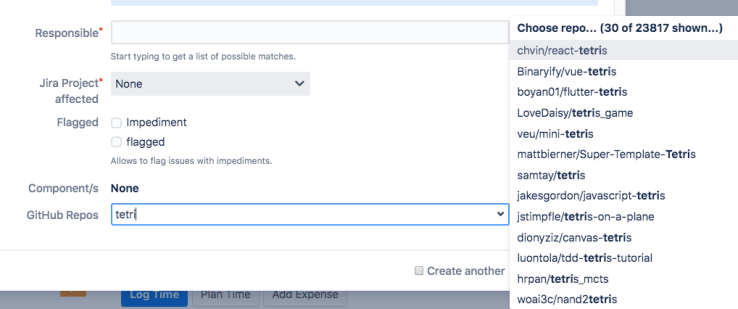
And it’s multi-select!
View mode:

Edit mode:

By MrAddon


 www.MrAddon.com ®: Jira & Confluence Administration Support Blog